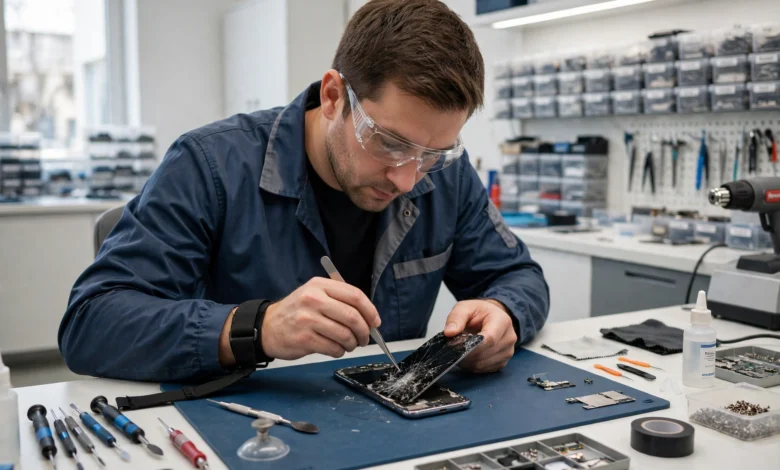
Phone Repair Near Me: How to Find a Trustworthy Local Repair Shop
If you are searching for phone repair near me, the short answer is to look for a local repair shop with good recent reviews, clear prices, a warranty on its work and experience with your exact phone model. A good repair shop will tell you the price before it starts, explain whether it uses genuine or high-quality third-party parts, and stand behind the repair with a written guarantee. This guide explains what phone repair shops fix, where to find one, how to choose a trustworthy shop, what repairs should cost, and when a repair is worth doing instead of buying a new phone.

What Does a Phone Repair Shop Fix?
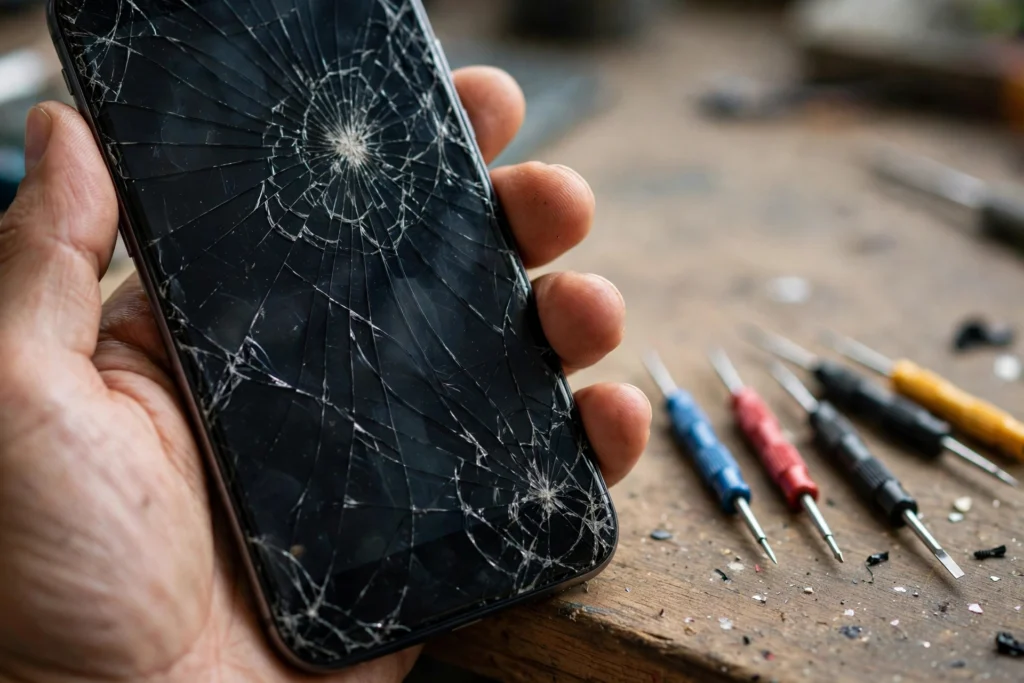
A phone repair shop fixes the problems that most commonly affect smartphones, and the most frequent repair by far is a cracked screen. Screen replacement is the bread and butter of the trade, and most shops can replace the screen on popular iPhone and Samsung models, often on the same day. Battery replacement is the second most common repair, because batteries lose capacity over time and a phone that dies by lunchtime usually needs a new battery rather than a new phone. Charging port repairs are also common, because the port collects dust and lint, and its pins can wear out or bend.
Beyond these three, a good repair shop can also fix a wide range of other problems, including a faulty speaker or microphone, a broken camera, a damaged back panel, a phone that will not turn on, and a phone that has been dropped in water. Some shops also fix tablets, smartwatches and laptops, and many offer data recovery for phones that have stopped working. The range of repairs varies from shop to shop, so if your problem is unusual, call ahead and ask whether the shop can fix it before you travel. A shop that is honest about what it can and cannot fix is a shop you can trust.
Where Can I Find Phone Repair Near Me?
The easiest way to find phone repair near me is to search online maps for phone repair, mobile phone repair or iPhone repair in your area, and then check the reviews and opening hours before you travel. Look for shops with recent reviews that mention the specific repair you need, the price charged and whether the repair lasted, and pay attention to how the shop responds to negative reviews, because a shop that handles complaints well is a shop that cares about its customers. Many phone repair shops are located on high streets, in shopping centres and in markets, and some are stalls or kiosks rather than full shops.
Manufacturer-authorised repairers are another option, and they are worth considering if your phone is still under warranty or if you want genuine parts. Apple, for example, offers iPhone screen replacement through its own stores and through authorised service providers, and its support pages explain the repair options and the costs involved. Samsung has a similar network of authorised repairers. Independent shops are often cheaper and faster than authorised repairers, but they may use third-party parts, so ask about parts before you commit. If there is no repair shop near you, some shops offer a postal repair service, where you send your phone away and it is returned by post, although this takes longer and you should check the shop’s reputation carefully first.
How Do I Choose a Trustworthy Phone Repair Shop?
Choosing a trustworthy phone repair shop comes down to a few simple checks that you can do before you hand over your phone. The first is the warranty, because a good shop will offer a written warranty on its parts and labour, usually for at least 90 days and often for six months or a year. Ask what the warranty covers and how long it lasts, and be wary of a shop that offers no warranty at all. The second check is the price, because a trustworthy shop will give you a clear quote before it starts the repair, and it will not add unexpected charges afterwards. Get the price in writing if you can, and compare it with one or two other shops.
The third check is the parts, because a shop should be honest about whether it uses genuine manufacturer parts, high-quality third-party parts or cheaper copies. Genuine parts usually cost more, but they are more likely to work properly and last longer. The fourth check is the shop itself: a clean, organised shop with proper tools and a clear price list is a good sign, while a shop that is reluctant to answer questions or that pressures you to decide quickly is a warning sign. Finally, check the reviews, and pay particular attention to reviews from people who had the same repair you need, because a shop that is good at screen replacements may not be as good at water damage repairs.
How Much Does Phone Repair Cost Near Me?
The cost of phone repair depends on the make and model of your phone, the type of repair and whether the shop uses genuine or third-party parts, but as a guide, a screen replacement is usually the most expensive common repair, a battery replacement is considerably cheaper, and a charging port clean or repair is often the cheapest. Prices are higher for newer and more expensive phone models, because their screens and parts cost more, and lower for older models, because their parts are widely available. A repair at an authorised service provider is usually more expensive than the same repair at an independent shop, because authorised repairers use genuine parts and charge for the manufacturer’s warranty.
What matters more than the exact price is whether the quote is clear and the parts are honest, and the best way to judge value is to get two or three quotes and compare them. Be cautious of a price that is far below everyone else’s, because it may mean the shop is using very cheap parts that will fail quickly. Ask whether the price includes VAT, whether there is a diagnostic fee if the shop cannot fix the phone, and whether the warranty is included in the price. Prices in this guide are described as guide ranges only, because they change over time and vary by location and by phone model, so always get a fresh quote from the shop before you commit.
Should I Repair My Phone or Replace It?
Deciding whether to repair your phone or replace it depends on the age of the phone, the cost of the repair and how well the phone still works. As a general rule, a repair is worth doing if the cost is less than about half the price of a comparable replacement phone, and if the phone is otherwise working well. A cracked screen on a phone that is one or two years old is almost always worth repairing, because the phone has years of life left and the repair is much cheaper than a new handset. A battery replacement is also usually worth doing, because it can make an old phone feel new again for a relatively small cost.
A repair is less likely to be worth doing if the phone is very old, if it has multiple problems, or if the repair costs almost as much as a replacement. A phone that is four or five years old may no longer receive software updates, which means it may become less secure and less compatible with new apps, and in that case a replacement may be a better investment. Water damage is also a difficult case, because the full extent of the damage may not be visible at first, and a phone that has been in water may develop further problems later. A good repair shop will give you an honest opinion about whether a repair is worth doing, and you should listen to that advice rather than insisting on a repair that the shop thinks will not last.
What Happens During a Phone Screen Repair?
A phone screen repair usually starts with a diagnostic check, where the technician tests the phone to make sure the problem is only the screen and not something deeper. The technician will then open the phone, disconnect the battery and remove the broken screen, taking care not to damage the other components inside. The new screen is then fitted, connected and tested before the phone is reassembled, and the technician will check that the touch screen, the display, the front camera and the earpiece speaker all work properly. The whole process usually takes between 30 minutes and two hours, depending on the phone model and how busy the shop is.
One thing to be aware of is that some phones have features that are linked to the original screen, such as face recognition or a fingerprint sensor, and these may behave differently after a third-party screen is fitted. A good shop will explain this before it starts the repair, and it will test these features afterwards. Another thing to check is whether the replacement screen is the same quality as the original, because screens vary a great deal in brightness, colour and touch sensitivity. Ask the shop what grade of screen it uses, and whether it offers a warranty on the screen itself. A reputable shop will be open about these details, and it will not rush you into a decision.
What About Battery Replacement?
Battery replacement is one of the simplest and most worthwhile phone repairs, because a worn battery is the most common reason an older phone feels slow or dies early. Lithium-ion batteries lose capacity over time, and after two or three years a phone may only hold 70 or 80 percent of its original charge, which means it needs charging more often and may shut down unexpectedly. A new battery can restore the phone’s original battery life and often makes the phone feel faster, because the phone no longer has to throttle its performance to protect a weak battery. Most shops can replace a battery in under an hour, and it is usually much cheaper than a screen replacement.
Before you book a battery replacement, check your phone’s battery health in its settings, because both iPhone and Android phones now show this information. On an iPhone, the battery health figure tells you the maximum capacity as a percentage, and if it is below 80 percent, a replacement is worth considering. On an Android phone, the battery information is usually found in the settings under battery or device care. A good shop will test the battery before replacing it, and it will tell you honestly whether a new battery is likely to help. Ask whether the replacement battery is a genuine part or a high-quality third-party part, and make sure the repair comes with a warranty, because a cheap battery that fails after a few weeks is no bargain.
How Long Does a Phone Repair Take?
The time a phone repair takes depends on the type of repair and the phone model, but most common repairs are finished on the same day, often while you wait. A screen replacement usually takes between 30 minutes and two hours, a battery replacement usually takes under an hour, and a charging port clean can take just a few minutes. More complex repairs, such as water damage treatment or a logic board repair, can take a day or longer, because the phone may need to be dried, cleaned and tested over several hours. If the shop does not have the part in stock, it may need to order it, which can add a day or two to the wait.
If you need your phone back quickly, call the shop before you travel and ask whether it has the part in stock and how long the repair will take. A good shop will give you an honest estimate and will call you if the repair takes longer than expected. Some shops offer an express service for an extra fee, which can be worth it if you rely on your phone for work. Remember to back up your phone before you hand it over, because most shops will ask you to remove your passcode or provide it, and there is a small risk that data could be lost during a repair. Backing up first protects you, and it also means the shop can test the phone properly after the repair.
Conclusion
Finding good phone repair near me comes down to looking for a local shop with strong reviews, clear prices, a written warranty and experience with your exact phone model. The best shops are honest about parts, upfront about prices and willing to tell you when a repair is not worth doing. Whether you need a new screen, a new battery or a fix for a charging port, a trustworthy local repairer can usually save you the cost of a new phone. Get two or three quotes, ask about the warranty, back up your phone before you hand it over, and choose the shop that gives you the clearest and most honest answers.
Is It Safe to Get My Phone Repaired at an Independent Shop?
Yes, it is generally safe to get your phone repaired at an independent shop, as long as you choose a reputable one with good reviews, clear prices and a written warranty. Independent shops are often cheaper and faster than authorised repairers, and many of them do excellent work. The main thing to check is whether the shop uses genuine or high-quality third-party parts, because cheap parts can fail quickly or affect features such as face recognition. If your phone is still under warranty, check whether an independent repair would void that warranty, because in some cases it can. For phones that are out of warranty, an independent shop is usually a good choice.
Will I Lose My Data During a Phone Repair?
In most cases you will not lose your data during a phone repair, because a screen or battery replacement does not normally affect the phone’s storage. However, there is always a small risk, especially with more complex repairs such as water damage treatment or a logic board repair, so you should back up your phone before you hand it over. Use your phone’s built-in backup, either to the cloud or to a computer, and make sure the backup is complete before you leave the shop. A good shop will remind you to back up, and it will ask you to remove your passcode or provide it so it can test the phone after the repair. Never hand over a phone without a backup if the data on it matters to you.
How Do I Know If My Phone Battery Needs Replacing?
The clearest sign that your phone battery needs replacing is that it runs out of charge much faster than it used to, or that it shuts down suddenly even when the battery indicator shows charge remaining. You can also check the battery health figure in your phone’s settings, which shows the maximum capacity as a percentage of the original. On an iPhone, a maximum capacity below 80 percent is a sign that a replacement is worth considering, and on Android phones the battery information is usually found under battery or device care in the settings. If your phone feels hot during normal use, or if the back of the phone is swelling, stop using it and take it to a repair shop promptly, because a swollen battery can be a safety risk.
Can a Water-Damaged Phone Be Repaired?
A water-damaged phone can sometimes be repaired, but it depends on how much water got inside, how long the phone was wet and whether it was switched on while it was wet. The first thing to do is to switch the phone off, remove it from the water and take it to a repair shop as soon as possible, because the longer water sits inside the phone, the more damage it causes. Do not try to charge the phone or switch it on to test it, and do not use a hair dryer, because heat can cause further damage. A repair shop can open the phone, clean the internal parts and test which components still work, but it may not be possible to save the phone if the water has reached the logic board. Even if the phone can be repaired, further problems may appear later, so a good shop will be honest about the risks.
Should I Repair My Phone Screen Myself?
Repairing your own phone screen is possible, and repair guides and kits are available from sites such as iFixit, but it is not a job to take on lightly. Modern phones are glued together, use tiny screws and delicate connectors, and a mistake can damage the phone further or void any remaining warranty. A do-it-yourself repair can save money if it goes well, but it can also cost more than a professional repair if something goes wrong. If you have experience with electronics and you are comfortable working with small parts, a guide from a reputable source can help, but for most people a professional repair is the safer choice. If you do try it yourself, follow a trusted guide, use the right tools and work slowly.